Objective / Scope
StellarComms has recently onboarded a new junior analyst to support satellite operations monitoring. As part of standard security procedures, a comprehensive internal access assessment must be conducted to validate that the new user account maintains appropriate privilege boundaries and cannot be leveraged for unauthorized escalation.
This lab started with just a username - junior.analyst - and no password. The challenge was to figure out how a brand new, low-privileged account could potentially escalate all the way to domain administrator. Spoiler alert: turns out there were quite a few misconfigurations to exploit along the way.
Starting Information
| |
Reconnaissance & Information Gathering
Network Scanning
First things first - let’s see what we’re working with. A full port scan against the target revealed the usual Active Directory suspects:
| |
Key services identified:
- FTP (21) - Anonymous access enabled
- Kerberos (88) - Domain authentication
- LDAP (389/636) - Directory services
- SMB (445) - File sharing with signing required
- WinRM (5985) - Remote management
The FTP service with anonymous access immediately caught my attention. Public FTP servers in corporate environments often contain documentation and files that shouldn’t be publicly accessible.
Anonymous FTP Access
Sure enough, anonymous FTP was enabled and contained several directories:
| |
Rather than manually clicking through everything, I just grabbed it all recursively:
| |
Going through the downloaded files, two documents stood out:
LEO_2A_Report.txt mentioned an internal portal:
| |
More importantly, Stellar_UserGuide.pdf contained what appeared to be a default password in the documentation. Combined with the knowledge that junior.analyst was a newly created account, it seemed worth trying.
Time to validate these credentials:
| |
| |
Bingo. We’re in with valid domain credentials.
Active Directory Enumeration
User Discovery
Now that we have authenticated access, let’s see who else is in this domain:
| |
Identified accounts:
- Administrator
- junior.analyst
- ops.controller
- astro.researcher
- eng.payload
- SATLINK-SERVICE$
A pretty small domain with just a handful of users. The SATLINK-SERVICE$ account with the dollar sign indicates it’s likely a service account or Group Managed Service Account (GMSA).
BloodHound Collection
With valid credentials, the next logical step is to map out the entire Active Directory environment. BloodHound is perfect for visualizing privilege relationships and finding attack paths:
| |
After importing the data into BloodHound and marking junior.analyst as owned, I started looking for any privileges this low-level account might have.
Privilege Escalation Path #1: WriteOwner Abuse
Digging through BloodHound’s “Outbound Object Control” for junior.analyst, I found something interesting - the account had WriteOwner permissions over a group called STELLAROPS-CONTROL.
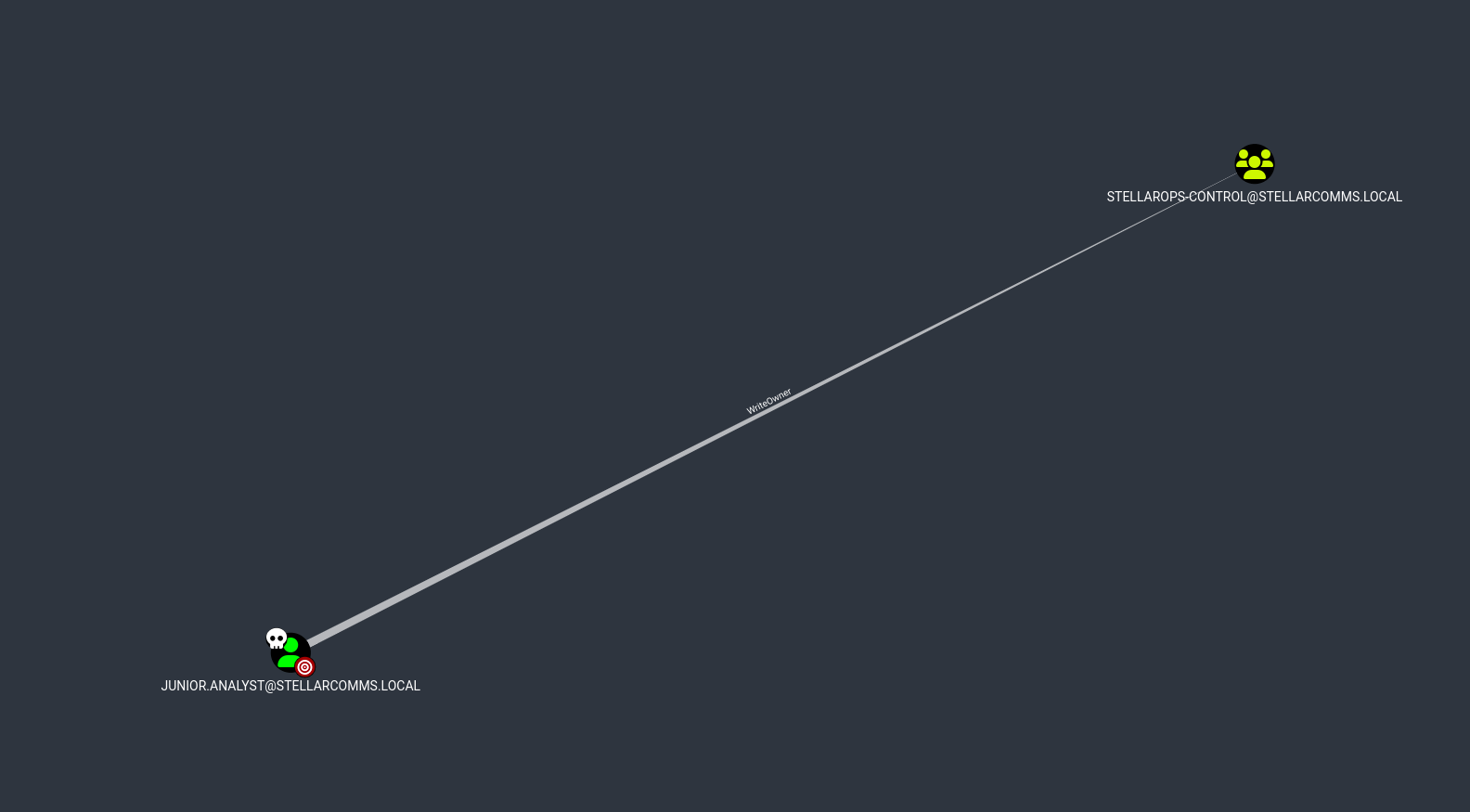
WriteOwner is a powerful permission because it lets you become the owner of an object, and owners can modify an object’s security descriptor. This essentially gives you full control.
Exploitation
The attack is straightforward - take ownership, grant yourself permissions, then add yourself to the group:
Step 1: Claim ownership of the group
| |
Step 2: Grant yourself full control
| |
Step 3: Add yourself to the privileged group
| |
Verify membership:
| |
Perfect. Now I’m a member of STELLAROPS-CONTROL. Time to check what privileges this group has in BloodHound.
Privilege Escalation Path #2: ForceChangePassword
Looking at what STELLAROPS-CONTROL group members can do, BloodHound showed they have ForceChangePassword rights over the ops.controller account.
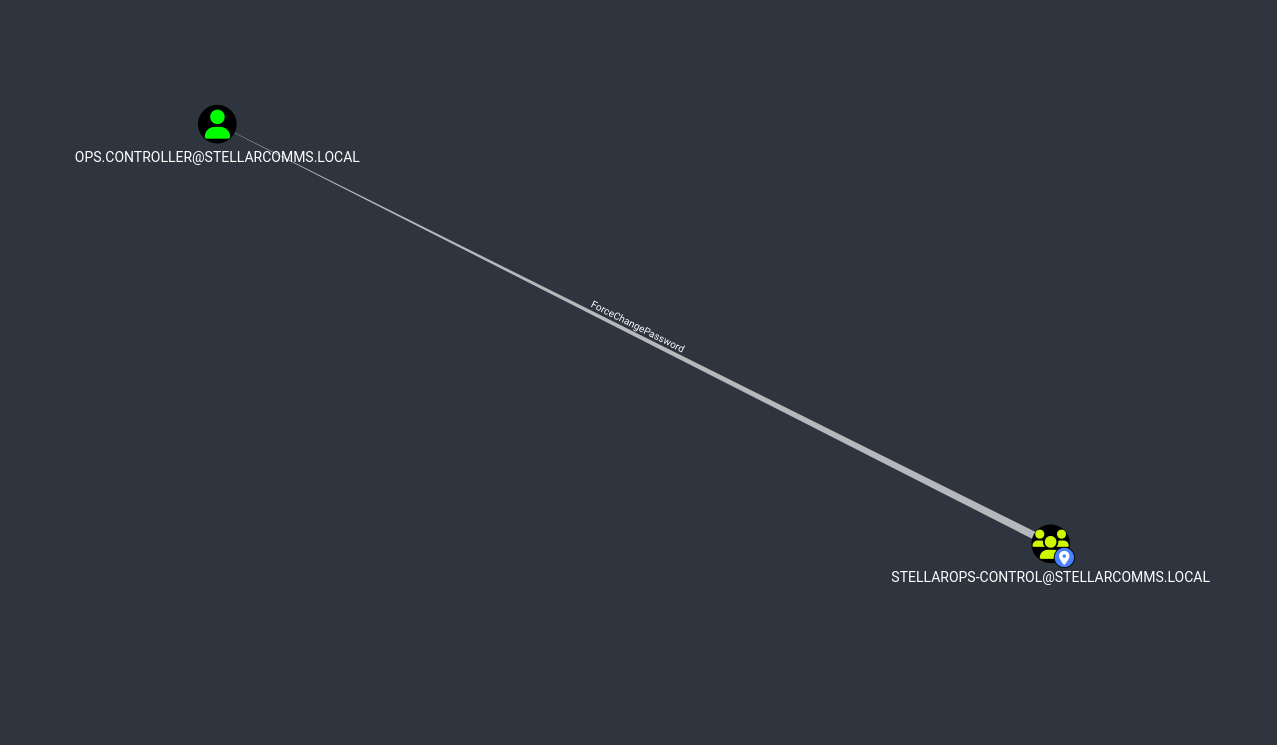
This is excellent - we can reset the password for ops.controller without needing to know the current password.
Exploitation
Reset the password:
| |
| |
Now let’s see what access this gives us:
| |
| |
Even better - ops.controller has WinRM access to the domain controller. Let’s get a shell:
| |
And just like that, we’ve got remote access to the DC and can grab the user flag.
Privilege Analysis: ops.controller
Now that we’re on the domain controller, let’s see what privileges this account actually has:
| |
| |
Interesting - SeMachineAccountPrivilege allows adding computer accounts to the domain. This is typically used for Resource-Based Constrained Delegation (RBCD) attacks, so let’s create a machine account that we control:
| |
| |
I spent some time trying to leverage this for RBCD and NTLM relay attacks, but the domain controller had LDAPS channel binding enabled which blocked those attempts. Sometimes attacks don’t pan out the way you expect - time to find another path forward.
Credential Discovery: Browser Forensics
Back when we were downloading files from FTP, there was a Firefox installer in the IT directory. That made me wonder - are there any saved credentials in Firefox profiles on the DC?
Let’s check:
| |
| |
Jackpot! Firefox stores credentials in logins.json (encrypted) and uses key4.db for the encryption keys. Evil-WinRM makes it easy to download these files:
| |
Credential Decryption
To decrypt Firefox credentials, I used firepwd - a Python tool specifically designed for this:
| |
Recovered Credentials:
| |

Excellent - we’ve got credentials for another domain user. Let’s see what astro.researcher can do.
Privilege Escalation Path #3: Complete Chain to DCSync
Back to BloodHound to check what privileges astro.researcher has. Following the graph, I found a complete attack path to DCSync:
| |
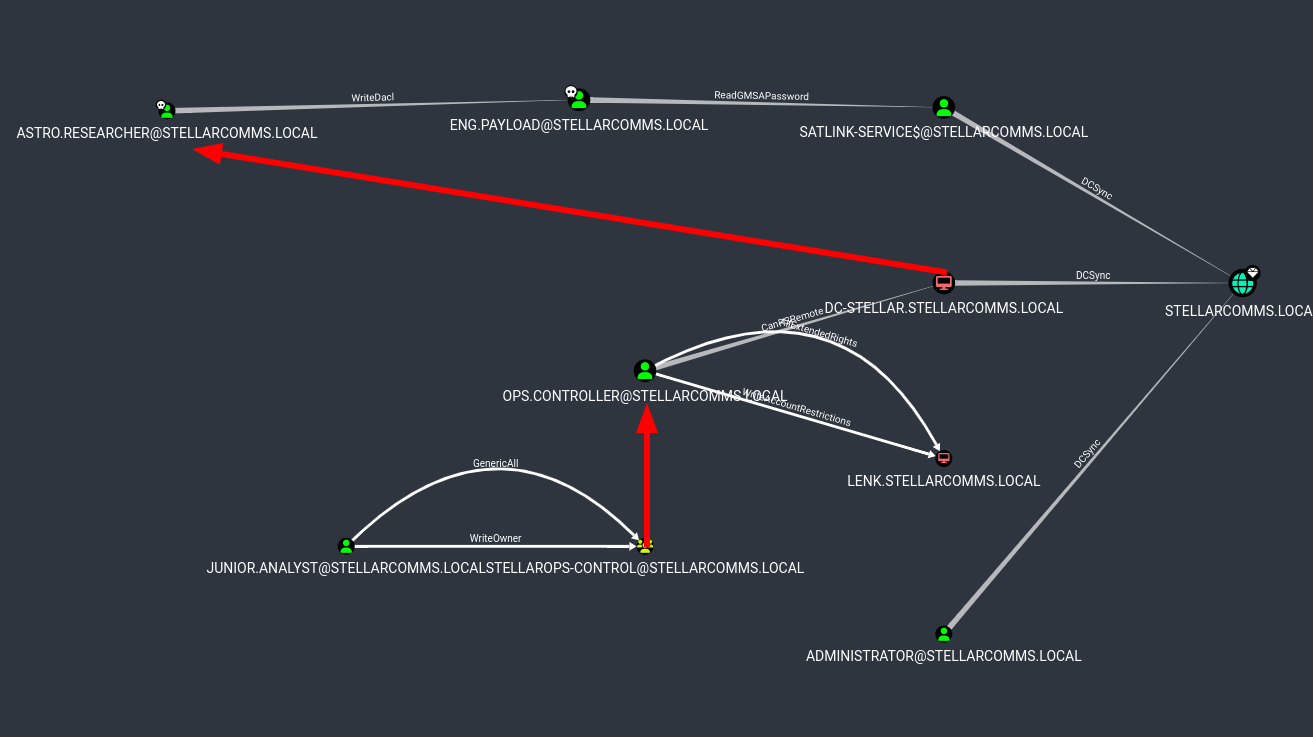
This is perfect - a clear chain from our current position all the way to DCSync, which would let us dump all domain credentials including the Administrator hash.
Step 1: Authenticate as ASTRO.RESEARCHER
First, let’s verify the Firefox credentials actually work:
| |
| |
Good to go.
Step 2: Exploit WriteDacl on ENG.PAYLOAD
astro.researcher has WriteDacl permissions on eng.payload, which means we can modify the target’s access control list to give ourselves full control.
Grant ourselves GenericAll:
| |
Now that we have full control, we can reset the password:
| |
| |
Step 3: Read GMSA Password for SATLINK-SERVICE$
The eng.payload account has ReadGMSAPassword permissions on SATLINK-SERVICE$. Group Managed Service Accounts have their passwords automatically managed by Active Directory, but accounts with the right permissions can read those passwords.
NetExec makes this trivial:
| |
| |

Perfect - we’ve got the NTLM hash for SATLINK-SERVICE$.
Step 4: DCSync Attack
According to BloodHound, SATLINK-SERVICE$ has DCSync rights. This is a misconfiguration - service accounts shouldn’t have replication permissions unless they’re specifically domain controllers.
Time to dump the entire domain database:
| |
| |

And there it is - the Administrator NTLM hash along with every other account in the domain.
Domain Compromise
Administrator Access
With the Administrator hash, we can authenticate using pass-the-hash:
| |
| |
And finally, a shell as Domain Admin:
| |
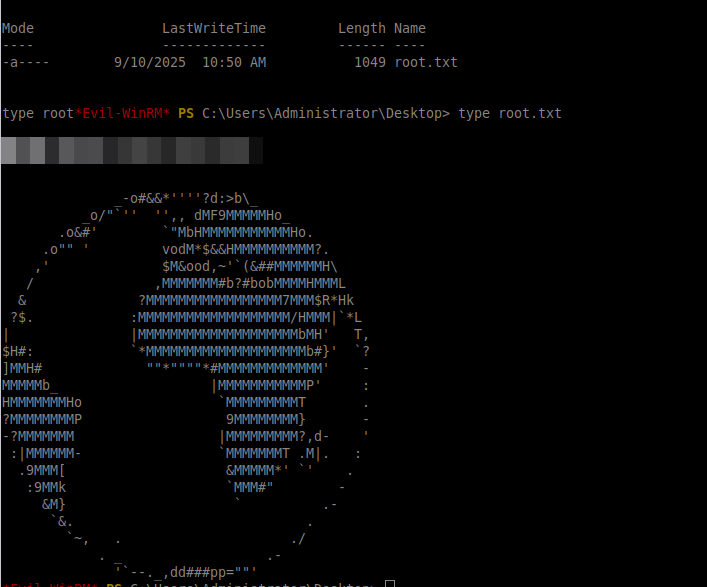
Root flag obtained. Domain completely compromised.
Exploitation Chain Summary
Looking back at the full attack path:
- Anonymous FTP - Leaked default credentials in documentation
- WriteOwner - Took control of STELLAROPS-CONTROL group
- Group Membership - Added ourselves to the privileged group
- ForceChangePassword - Reset ops.controller’s password
- Remote Access - Got WinRM shell on the domain controller
- Browser Forensics - Extracted Firefox saved credentials
- WriteDacl - Compromised eng.payload account
- GMSA Extraction - Read SATLINK-SERVICE$ password hash
- DCSync - Dumped all domain credentials
It’s impressive how many small misconfigurations can chain together. No single vulnerability was that critical on its own, but combined they provided a complete path from unprivileged user to Domain Admin.
Tools Used
- Nmap - Network reconnaissance
- NetExec (nxc) - SMB/LDAP enumeration
- BloodHound - AD relationship analysis
- bloodyAD - ACL manipulation
- Evil-WinRM - Remote PowerShell
- firepwd - Browser credential extraction
- Impacket - Machine account creation and DCSync